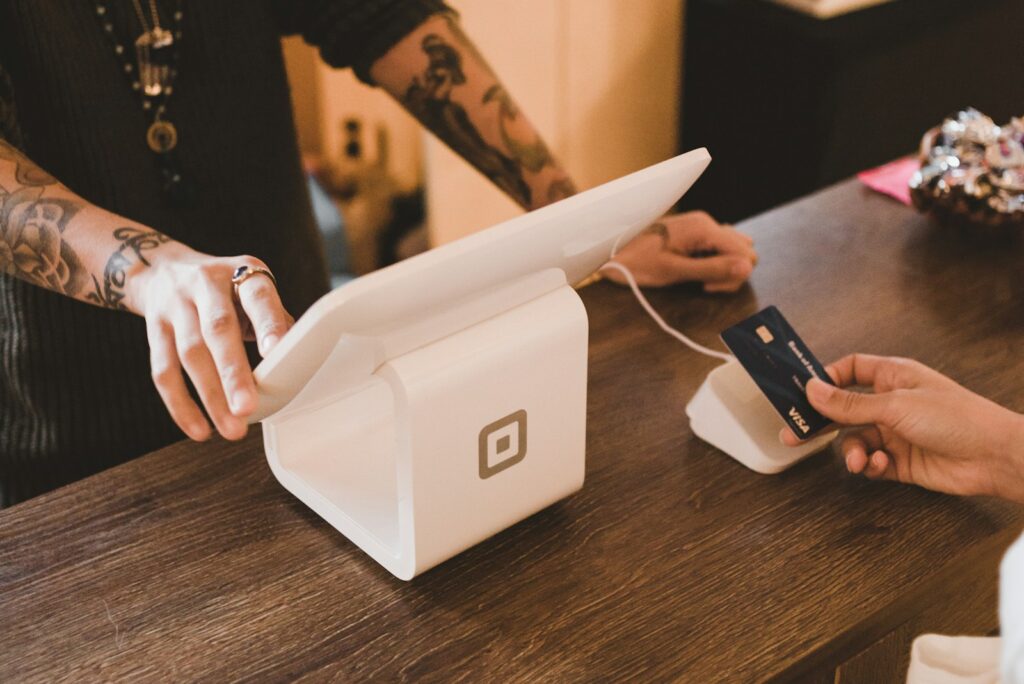
Quick answer: Pharmacy POS software is the counter system that bills customers and updates stock at the same time. Look for quick medicine search, barcode or QR scanning, several payment methods including bKash and Nagad, printed and digital receipts, credit sales with limits, and easy returns. PharmacyOS offers these in its POS terminal.
What is pharmacy POS software?
A point-of-sale (POS) system is the screen and software at your counter where you find a medicine, add it to a bill, take payment and give a receipt. In a pharmacy, a good POS does more than print a memo. Every sale also reduces the right stock, and every credit sale is recorded against the customer.
Fast billing and medicine search
At a busy counter, seconds matter. Look for:
- Search by brand name, generic name or company with suggestions as you type.
- Barcode or QR scanning so you do not type each item.
- A simple cart where quantities and prices are easy to change.
Payments customers actually use
In Bangladesh, customers pay in cash, by card and through mobile wallets such as bKash and Nagad. The POS should record each method, support split payments if needed and make end-of-day cash reconciliation easy.
Receipts: print, SMS and WhatsApp
- Thermal receipt printing for quick printed memos.
- Digital receipts by SMS or WhatsApp for customers who want a copy on their phone.
- A stored copy of every receipt so you can find it again later.
Credit sales and customer dues
Many pharmacies sell on credit to regular customers. The POS should let you record a sale as due, set a credit limit for each customer and show the balance at the counter. This avoids the common problem of unknown balances. See our guide to managing customer dues and supplier ledgers.
Returns and exchanges
Medicine returns and exchanges need clear records. The POS should link a return to the original sale and put the stock back correctly, or record damaged stock, so your numbers stay accurate.
Hardware to plan for
- Barcode scanner for fast item entry.
- Thermal receipt printer for printed memos.
- PC, tablet or phone to run the software.
- Reliable power or a backup for outages.
Keep billing running when the internet drops
A POS that depends entirely on the internet stops when the connection does. Look for offline billing that syncs to the cloud when the connection returns, so no sale is lost.
How PharmacyOS handles the counter
The POS terminal in PharmacyOS is described on its features page as supporting fast medicine search, barcode and QR scanning, payments by cash, card, bKash and Nagad, instant invoice printing, SMS and WhatsApp receipts, customer credit with limits, and returns and exchanges. Book a free demo to try it with your own medicines.
Questions to ask before you choose
- How many seconds does a typical bill take at the counter?
- Does each sale update stock by batch?
- Which payment methods and receipts are supported?
- How are credit sales and returns handled?
- What happens when the internet or power fails?
Frequently asked questions
What is pharmacy POS software?
It is the system at the pharmacy counter that creates bills, takes payments and updates stock. A good one also records credit sales, returns and receipts.
Does pharmacy POS software support bKash and Nagad?
Many Bangladesh-focused systems do. Check that the software records each payment method so your daily cash and mobile wallet totals match.
Can a pharmacy POS print and send receipts?
Yes. Look for thermal receipt printing and digital receipts by SMS or WhatsApp, and a stored copy of every receipt.
Do I need a barcode scanner for a pharmacy POS?
It is not required, but a scanner speeds up billing and reduces typing mistakes, especially for packaged medicines.
Related guides
- Best Accounting Software for Small Business: How to Choose
- Best Inventory Management Software: Features and How to Choose
- Warehouse Management System vs Inventory Management System: Key Differences
- Point of Sale (POS) software
- Winmac System products
See PharmacyOS in action
Request a free demo on pharmacyos.cloud, or talk to Winmac System about software for your business.